Winning back the seven in ten who abandon checkout
As sole designer I took Teachable's most-requested commerce feature from research spike to launch in four months; it has recovered $22M+ in sales for creators since.
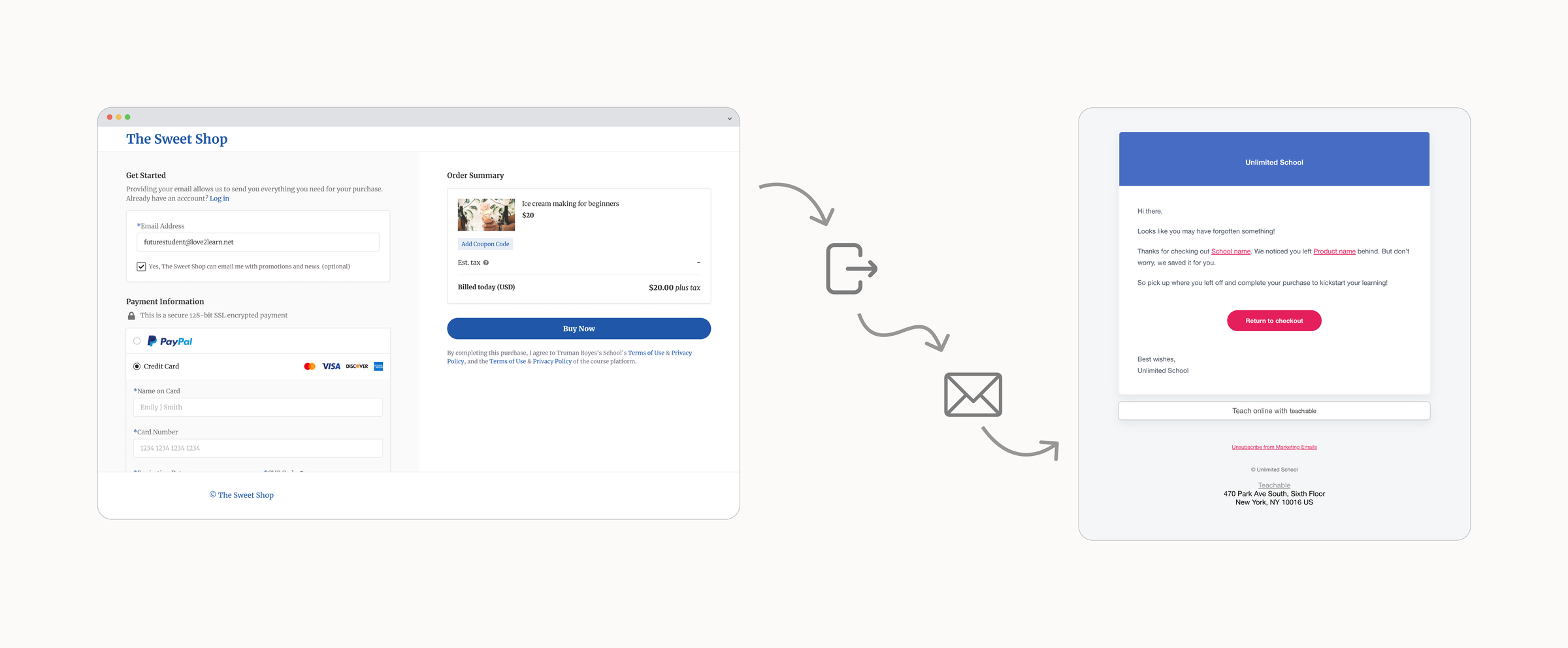
From concept to launch
Teachable turns creators into merchants
Teachable is where creators sell online courses, coaching, and digital downloads, with roughly 78K schools active in a given month. Every sale runs through its checkout.
A million students a month started checkout and vanished
Creators could not see who abandoned and had no way to reach back out; the revenue just disappeared. Of 160 open feature requests, 60% were commerce related, and high-earning creators named this gap as a reason to leave.
Every competitor had a version. Teachable had a support queue.
Kajabi, Thinkific, Shopify, and the cart tools all offered some form of recovery, and creators were wiring up Mailchimp and Zapier workarounds that broke. One top seller called it the deciding factor between staying and leaving.
GMV recovered for creators since launch.
Abandoned orders recovered.
Schools running the feature.
Teachable earns a fee on every recovered sale, and these numbers are still climbing three years after launch.
“I just turned it on and it's been recovering some sales for me. I like the fact that I haven't had to think about it.”
A recovery system that runs itself
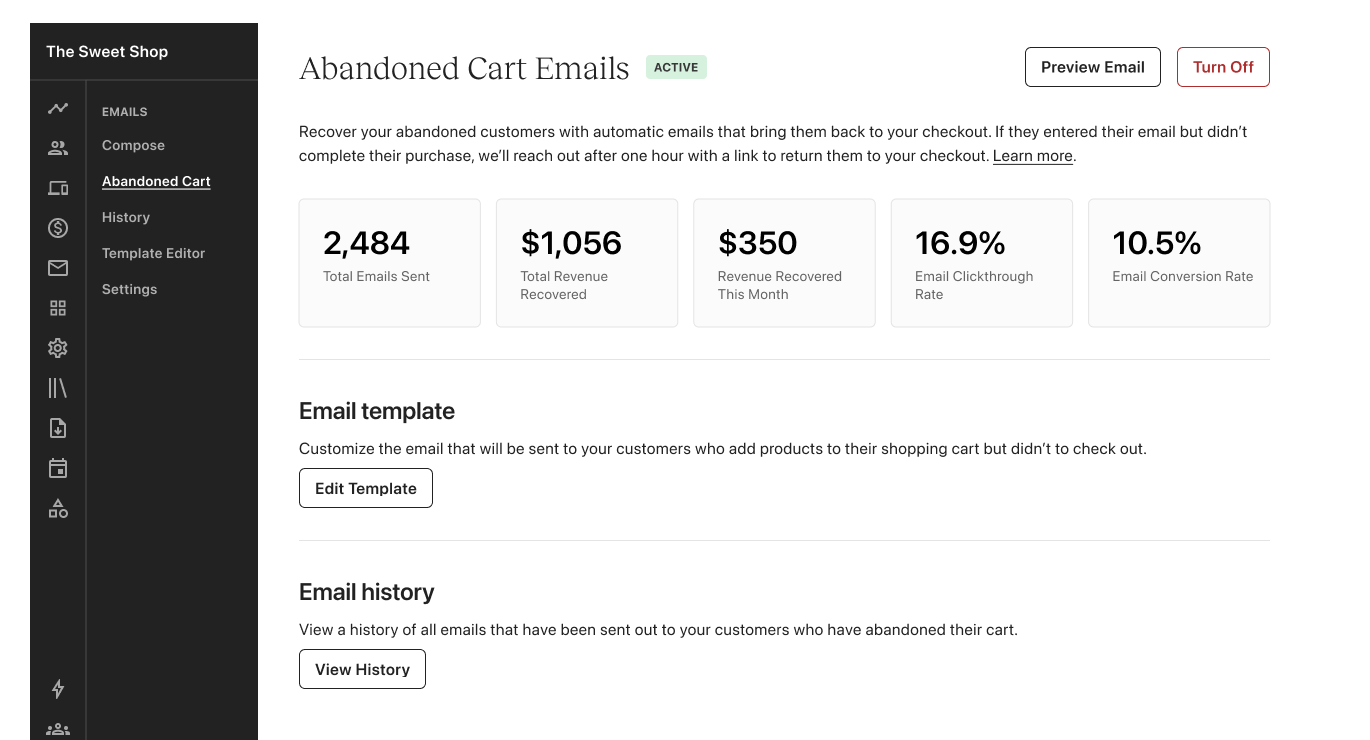
When a student enters an email at checkout and walks away, Teachable now sends one recovery email an hour later and returns them to a checkout with everything but payment pre-filled. Creators control it from a plan-gated admin page: metrics, template editing, send history. Most never touch it, which is the point.
Turn it on for every school
Eight weeks after launch, opt-in adoption had stalled and Legal was wary of sending email on creators' behalf. My PM and I built the compliance case ourselves and won the argument.
Reveal addresses only with consent
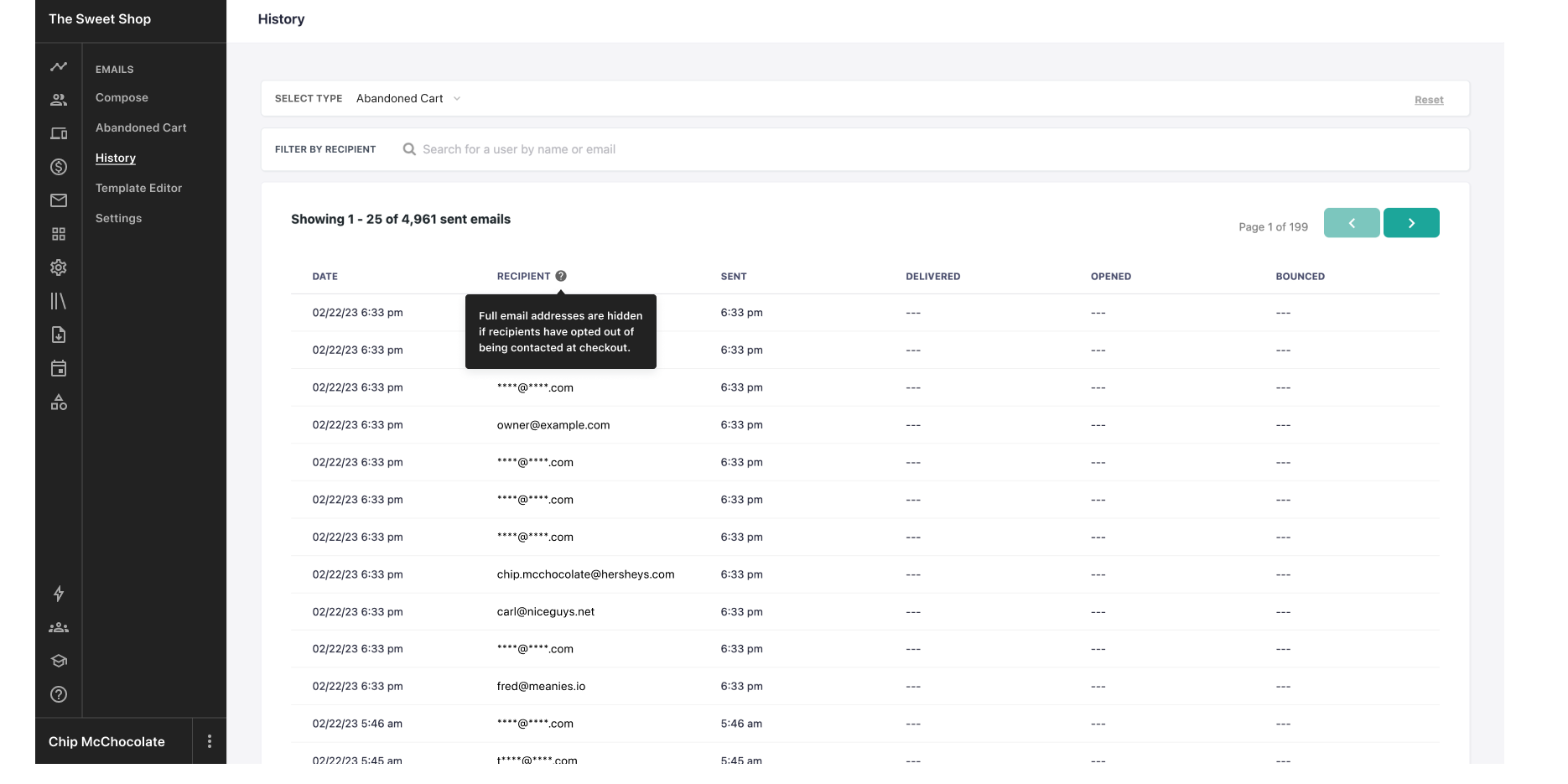
Recovery emails to students who never opted into marketing looked like a GDPR problem, and I flagged it to Legal before Legal found it. The answer was to split sending from seeing.
Gate by plan, not by gateway
The feature had to earn twice: recovered sales for creators, and plan upgrades for Teachable. My PM and I designed the tiers with the Growth pod's PM as an upgrade ladder.
I ran the impact-versus-effort session that drew this line.
- Abandon tracking at email entry
- One recovery email after an hour
- Plan-gated admin page with metrics
- Template editing on Pro
- Consent-aware send history
- Coupons in emails (shipped six weeks later)
- Editable send times
- Subject-line editing and translation
- A/B testing
- Product-level emails
- Exportable recovery lists
The admin page, three ways
One page under Emails carries the whole feature, and its state is the upgrade pitch: each plan tier sees a different version of the same real estate.
Send history that respects consent
Every recovery email lands in the same history as the rest of a school's sends. The recipient column is where the GDPR decision becomes visible.
Open rates beat e-commerce averages and still missed cart-abandonment benchmarks, partly because subject lines couldn't be edited or translated. Run it again and I trade the first fast-follow for subject-line editing and translation. Effort should follow revenue through the flow, not screen count in the admin.
I put my craft into the admin experience: the gating, the metrics, the guardrails. But the artifact doing the converting was a single email, and I treated it like a template.